
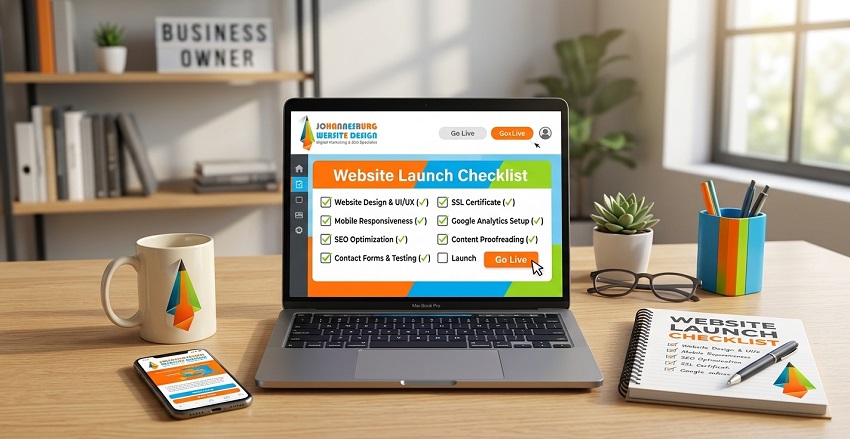
Launching a website is a major milestone for any business, but going live without a structured quality review often leads to broken links, slow loading speeds, missing analytics, or security vulnerabilities.
A high-performing website launch checklist acts as a final quality assurance framework—ensuring your site satisfies human visitors, converts leads, and ranks smoothly across search engine algorithms.
Below is an answer-first, actionable website launch checklist designed for small-to-medium business owners before flipping the switch to live.
The Ultimate Website Launch Checklist for Business Owners
+———————————————————————————–+
| WEBSITE LAUNCH CHECKLIST OVERVIEW |
+————————–+——————————+————————-+
| Category | Core Focus Area | Key Deliverable |
+————————–+——————————+————————-+
| 1. Technical & Security | SSL, Hosting, Backups | Zero Downtime & HTTPS |
| 2. SEO & Schema | Indexing, Sitemap, Markup | Search Discovery Ready |
| 3. UX & Mobile | Core Web Vitals, Forms | High Mobile Conversion |
| 4. Analytics & Legal | GA4, Search Console, Privacy | Compliance & Tracking |
+————————–+——————————+————————-+
Direct Answer: What Are the Must-Have Steps Before Launching a Website?
To protect your launch investment, every business website should pass four critical pre-launch audits:
- Technical & Security Audit: Confirm active SSL certificates (https://), set up automated daily website backups, and verify server caching configurations.
-
On-Page SEO & Schema Setup: Submit an XML sitemap to search engine tools, check meta title and description tags, and embed Local Business JSON-LD schema.
- UX & Conversion Testing: Test all contact lead forms, click-to-call buttons, and payment gateways on multiple mobile devices.
- Analytics & Legal Compliance: Connect tracking tags (GA4 / Tag Manager) and display a compliant Privacy Policy and Terms of Use.
The 4 Pre-Launch Phase Breakdown
+———————————+
| PRE-LAUNCH ENGINE INTEGRATION |
+———————————+
|
+————————+————————+
| | |
v v v
+—————+ +—————+ +—————+
| CORE PERFORMANCE| | SEARCH ENGINE | | CONVERSION |
| Core Web Vitals| | INDEXING | | FLOWS |
| Sub-2s speed | | Sitemap & Schema| | Forms & CTAs |
+—————+ +—————+ +—————+
1. Technical Performance & Security Hardening
Before bringing traffic to your new site, technical foundations must be secure and responsive:
- Active SSL Certificate: Verify your site redirects cleanly from http:// to https://.
- Image Compression: Convert images to modern WebP formats and keep image file sizes under 200 KB to maintain page speeds.
- Server Caching & Optimization: Ensure server caching mechanisms (e.g., SpeedyCache or Redis) are configured to keep load times under 2 seconds.
2. On-Page & Technical SEO Ready for Indexing
A common mistake during website deployment is leaving developer search blocks enabled.
- Unblock Search Engines: Check your CMS settings to confirm search engine visibility is turned on.
- Custom Meta Titles & Descriptions: Ensure every page includes unique, search-intent-aligned titles and descriptions.
- Structured Data / Schema Markup: Implement LocalBusiness or Organization JSON-LD code to help search engine crawlers understand your exact operating address, phone number, and services.
3. User Experience (UX) & Mobile Funnel Testing
With over 60% of traffic coming from mobile devices, mobile UX is critical to conversion performance.
- Lead Form Routing: Submit test inquiries on every form to verify emails reach target inboxes cleanly.
- Click-to-Call Buttons: Ensure phone numbers and WhatsApp buttons use tel: and direct chat routing for one-tap mobile calls.
- Cross-Browser Compatibility: Test page layouts across Chrome, Safari, Edge, and Firefox on both desktop and mobile viewports.
4. Tracking, Analytics, & Legal Compliance
Data collection ensures you can measure campaign effectiveness from day one.
- Analytics Tag Verification: Install and test Google Analytics 4 (GA4) or Google Tag Manager to verify event tracking for form leads and sales.
- Search Console Submission: Claim domain ownership in Google Search Console and submit your primary sitemap.xml.
- Legal Policy Pages: Ensure your website displays an updated Privacy Policy, Terms and Conditions, and Cookie Consent notice.
Post-Launch Checklist: What to Do in the First 48 Hours
- Re-Test Live Contact Forms: Run one final test submission directly on your live domain environment.
- Submit Sitemap to Google Search Console: Prompt search engine spiders to crawl and index your new URL structure immediately.
- Update Social Media & Google Business Profiles: Update main website links across your Google Business Profile, LinkedIn, Facebook, and directory listings.
- Monitor 404 Errors: Watch Search Console crawl reports over the first 48 hours to identify and set up 301 redirects for any missing old URLs.
Frequently Asked Questions
How long after a website launch does it take to rank on Google?
New domains typically begin indexing within 24 to 72 hours after submitting an XML sitemap to Google Search Console. Building baseline organic rankings for competitive terms typically develops over 3 to 6 months of sustained SEO effort.
Should I launch on a Friday or weekend?
It is best to launch mid-week (Tuesday or Wednesday morning). This ensures your web development team and web hosting support are fully available to address any unexpected routing or server issues immediately.
Discover more from Website Design Johannesburg in Gauteng, South Africa
Subscribe to get the latest posts sent to your email.